Anime CG Enlargement Tool MoeSr
Preface
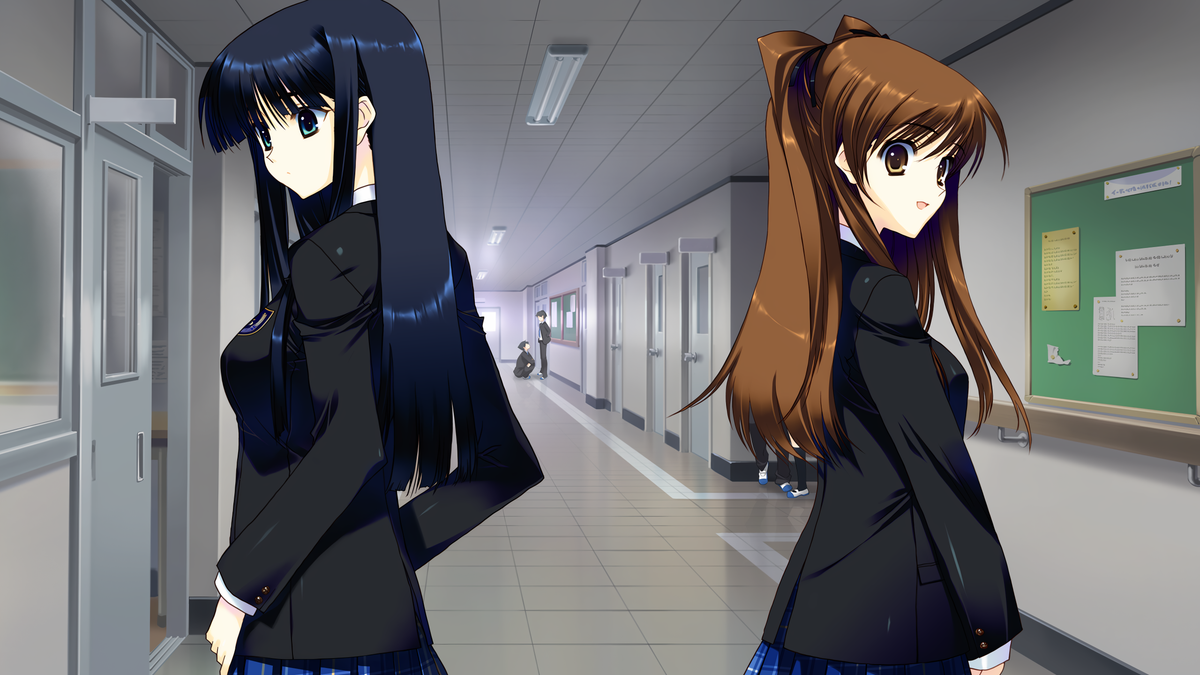
Some time ago, while playing a gal game, I suddenly wanted to explore CG super-resolution, and then I found a great repo on GitHub. I tried it myself and felt the effect was really great!
Teaching someone to fish is better than giving them fish. In this post, I want to share how to super-res your favorite anime images.
Download
You can download the latest release and more models through the repo link in the preface.
I also packaged the UI and a few models I like to use in this post.
Usage
After downloading and extracting, you will get a MoeSR folder. I think the only things to note are the model subfolder and the “launch.bat”.
To add extra models, you need to place the models downloaded from the author's GitHub repo, named as x1, x2, x3..., into the existing real-esrgan or real-hatgan folders inside model.
Once the model download is complete, double-click “launch.bat” to start the UI.
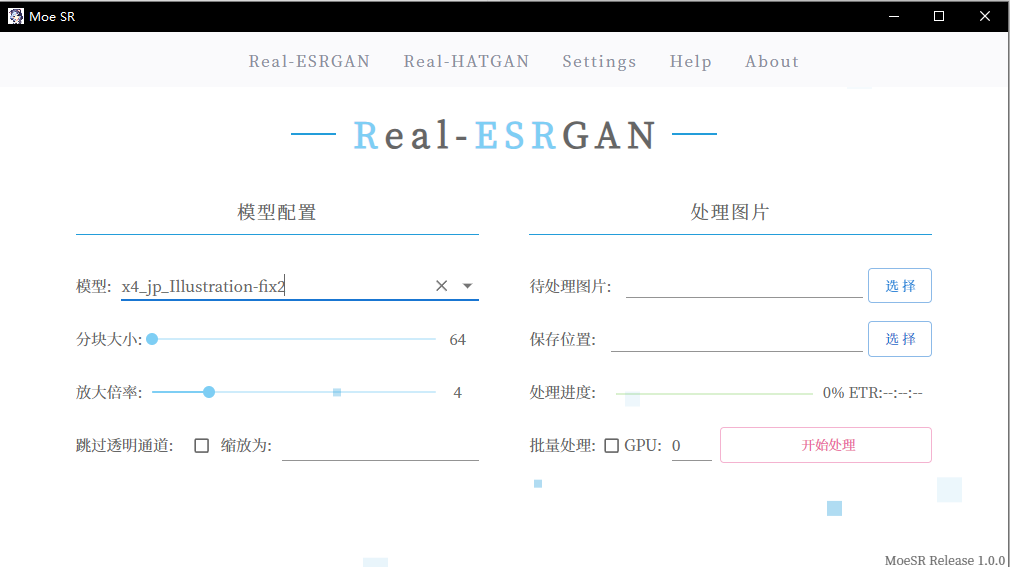
- Model: You can choose which model to use.
- Tile size: Refers to the size of the image block processed each time. The larger it is, the better the processing effect, but it requires more VRAM.
- Magnification: Refers to the magnification of the original image pixels. For example, 4x will enlarge the length and width of the original image by 4 times. A 1080p image will be approximately super-resolved to 8k at 4x.
- Skip transparent pipeline and scaling: Haven't used much...
- Image to process: Select the image you want to process.
- Save location: The path where the processed image will be stored.
- Batch processing: When checked, the “Image to process” section will change to allow you to select a folder. This way, you can put all the images you want to process into one folder for batch processing.
- GPU: Default is 0. If you find that the GPU is not running during execution, try switching to 1.
Parameter Sharing
My graphics card is a 10G 3080. For 1080p CG, I set it up like this:
- Model: x4_jp_Illustration-fix2 (feels very natural)
- Tile size: 128
- Magnification: 4 (1080p to 8k)
Conclusion
I hope everyone can easily get ultra-high-definition images of their waifus after learning this, hhh.
If you like it, remember to give a thumbs up~